Vpn for hotel wifi: 7 Powerful Ways to Avoid Dangerous Risks
Why Hotel Wi-Fi Puts Your Data at Risk
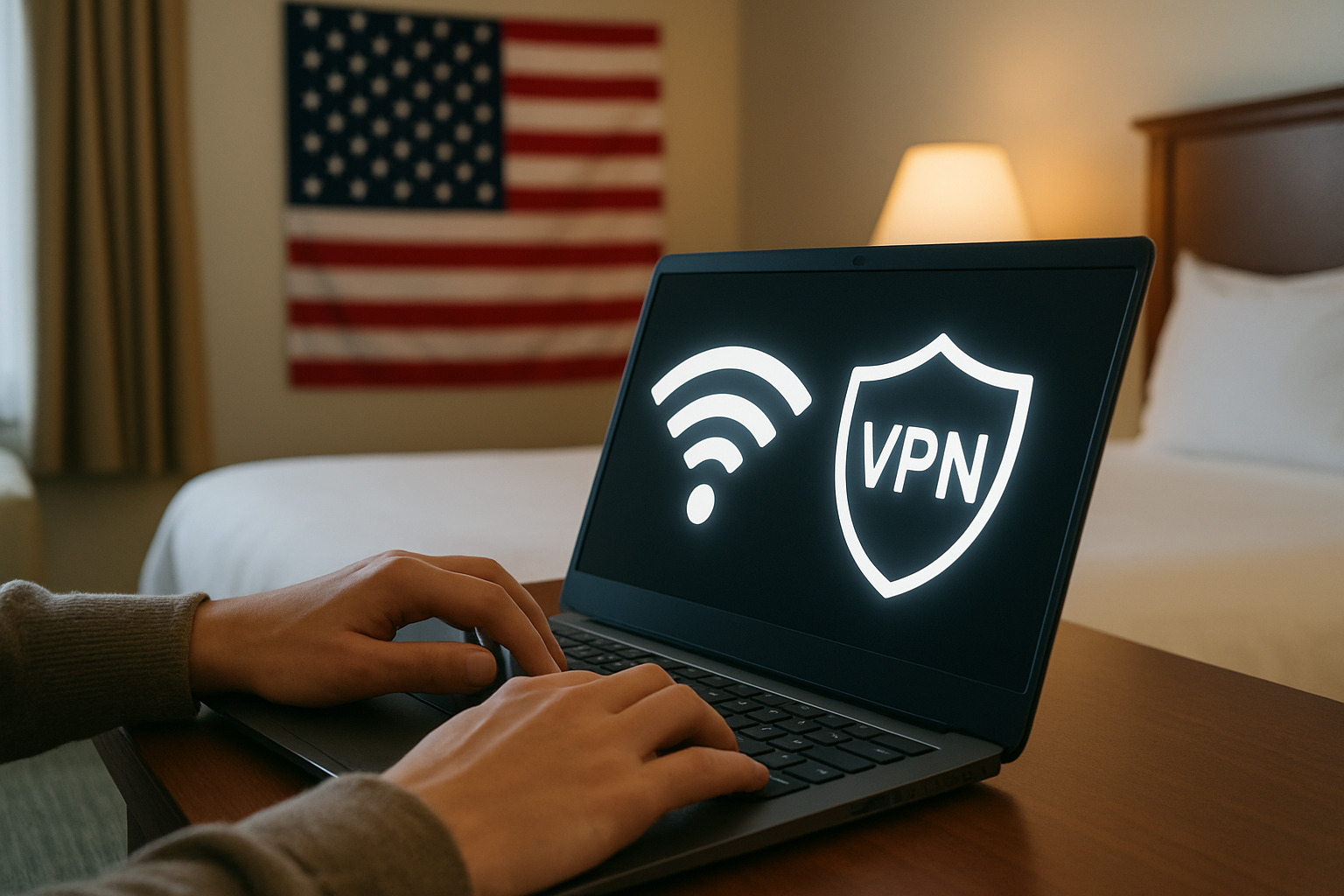
A vpn for hotel wifi is essential because hotel networks are among the riskiest places to connect online. The FBI considers hotels some of the most dangerous Wi-Fi environments due to poor security standards and outdated hardware.
Quick Answer: Why You Need a VPN for Hotel Wi-Fi
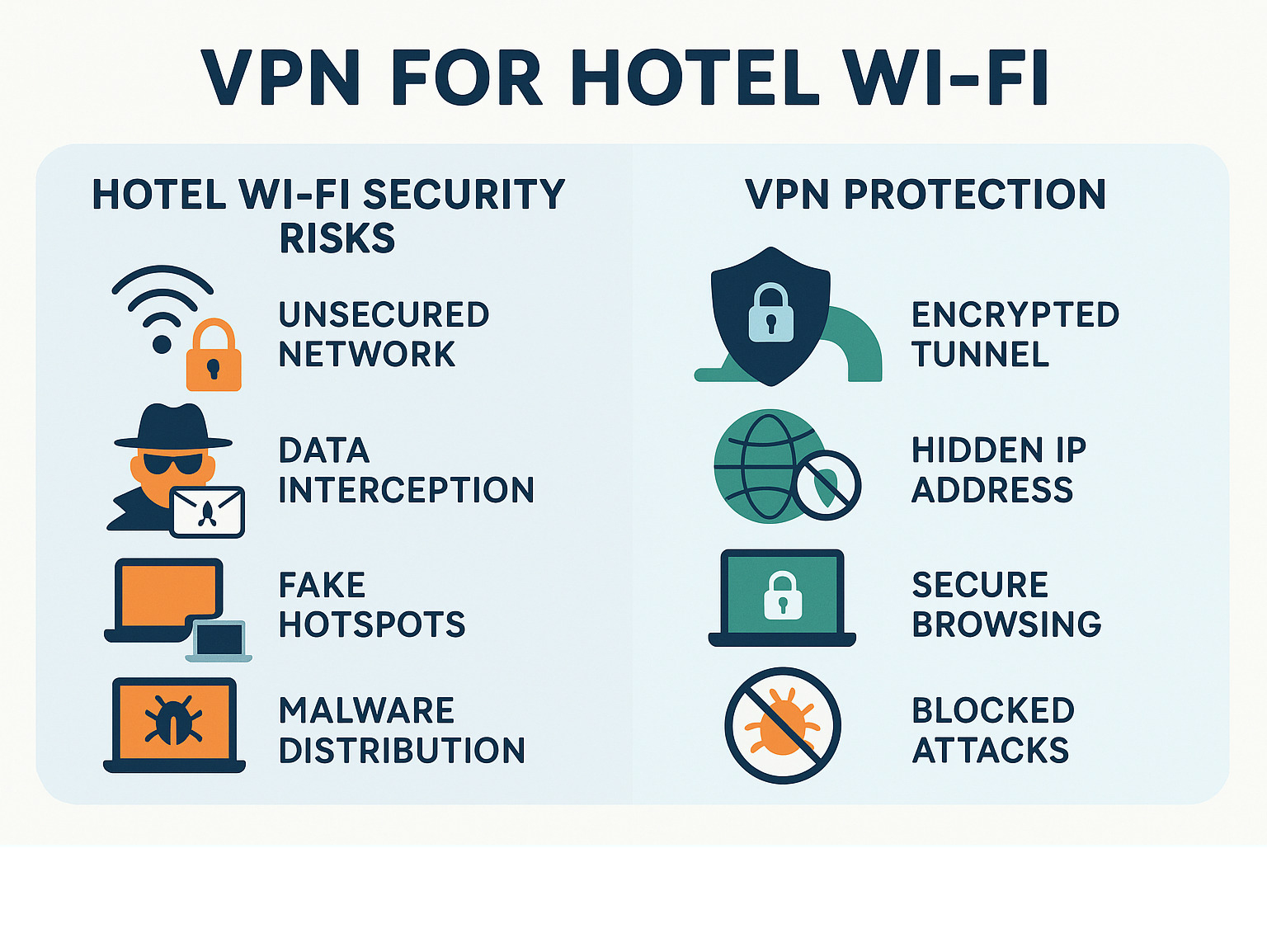
- Encrypts your traffic – Prevents hackers from reading your data
- Hides your browsing – Hotels can’t see which sites you visit
- Blocks attacks – Stops man-in-the-middle and evil twin attacks
- Secures banking – Protects sensitive transactions and logins
- Works on all devices – Covers laptops, phones, and tablets
According to NordVPN research, 78% of travelers use public Wi-Fi networks, but only 34% protect themselves with a VPN. This leaves most hotel guests vulnerable to data theft, malware, and privacy invasion.
Hotel networks create the perfect storm for cybercriminals. They use shared passwords, run on outdated equipment, and attract large crowds of potential victims. Nearly 60% of hotel Wi-Fi networks still use vulnerable WPA2 encryption or older protocols that hackers can easily crack.
“Hotel Wi-Fi is not always safe. Actually, hotels are considered some of the riskier places to use Wi-Fi because they often lack basic security features,” warns cybersecurity experts. Man-in-the-middle attacks are up to 3 times more common on public networks than private ones.
The good news? A quality VPN solves most of these problems by creating an encrypted tunnel between your device and the internet.
Important vpn for hotel wifi terms:
Why Hotel Wi-Fi Is Riskier Than You Think
Think your hotel Wi-Fi is just slow? Unfortunately, that’s the least of your problems. Hotel networks are basically playgrounds for hackers, and the statistics will make you want to unplug immediately.
The FBI doesn’t mince words about hotel internet safety. They’ve specifically called out hotels as some of the most dangerous places to connect online because of their lack of basic security standards. A 2022 study backs this up, finding that 25% of hotel Wi-Fi networks had at least one known vulnerability just waiting for criminals to exploit.
Why Hotels Make Such Easy Targets
Most hotels treat Wi-Fi like an afterthought. They’re focused on filling rooms, not protecting your data. This means you’ll often find outdated routers that can’t even handle modern encryption like WPA3. Some hotels are still running equipment from five years ago that hackers can crack in their sleep.
The password situation is even worse. Walk into any hotel lobby and you’ll see the Wi-Fi password written on a whiteboard for everyone to see. “Guest123” or “HotelName2024” aren’t exactly Fort Knox-level security. When hundreds of strangers share the same password, it’s basically an open network where anyone can peek at your traffic.
How Hackers Strike in Hotels
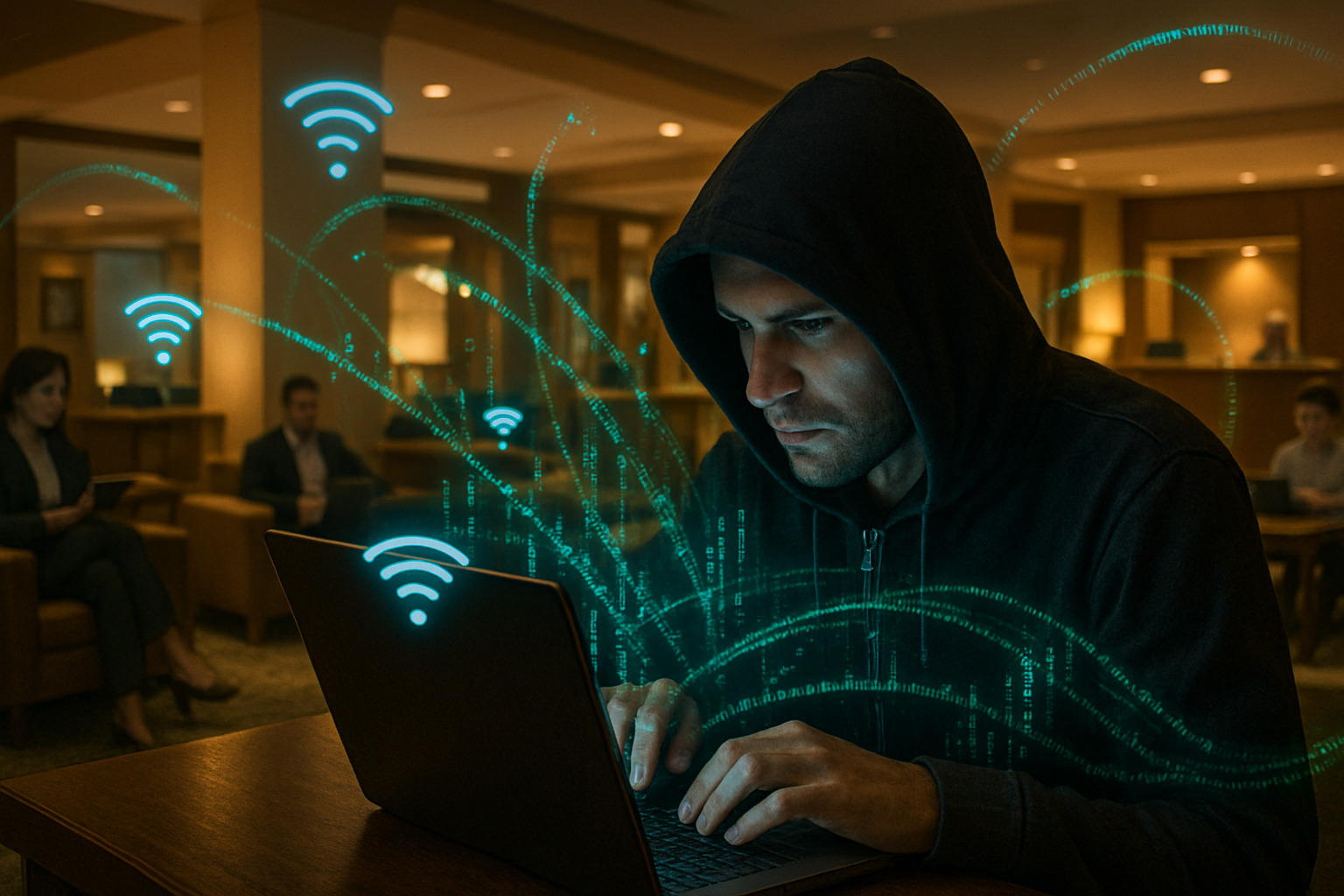
Cybercriminals love hotel Wi-Fi because it’s like fishing in a barrel full of fish. They use several sneaky techniques to steal your data:
Man-in-the-middle attacks are their favorite trick. Hackers position themselves between your device and the internet, secretly reading everything you send and receive. Your banking details, passwords, private messages – they see it all.
Evil twin networks are particularly nasty. Criminals create fake hotspots with innocent names like “HotelFreeWiFi” to trick you into connecting. Once you’re on their network, they control everything you do online.
Then there’s packet sniffing, where hackers capture and analyze the data flowing across the network. They also use cookie theft to steal the digital tokens that keep you logged into websites, letting them hijack your accounts without even needing your password.
The Scary Numbers
Here’s what should really worry you: nearly 60% of hotel Wi-Fi networks still use vulnerable WPA2 encryption or even older protocols that hackers can break easily. Public Wi-Fi users are three times more likely to be targeted than people on private networks. That’s why over 80% of cybersecurity experts say you absolutely need a vpn for hotel wifi.
The truth is, hotels care more about keeping costs low than keeping you safe. Many outsource their Wi-Fi to third-party companies that focus on speed and coverage, not security. This leaves you exposed to a whole menu of cyber threats every time you check your email or browse social media.
How a VPN Shields You on Hotel Wi-Fi
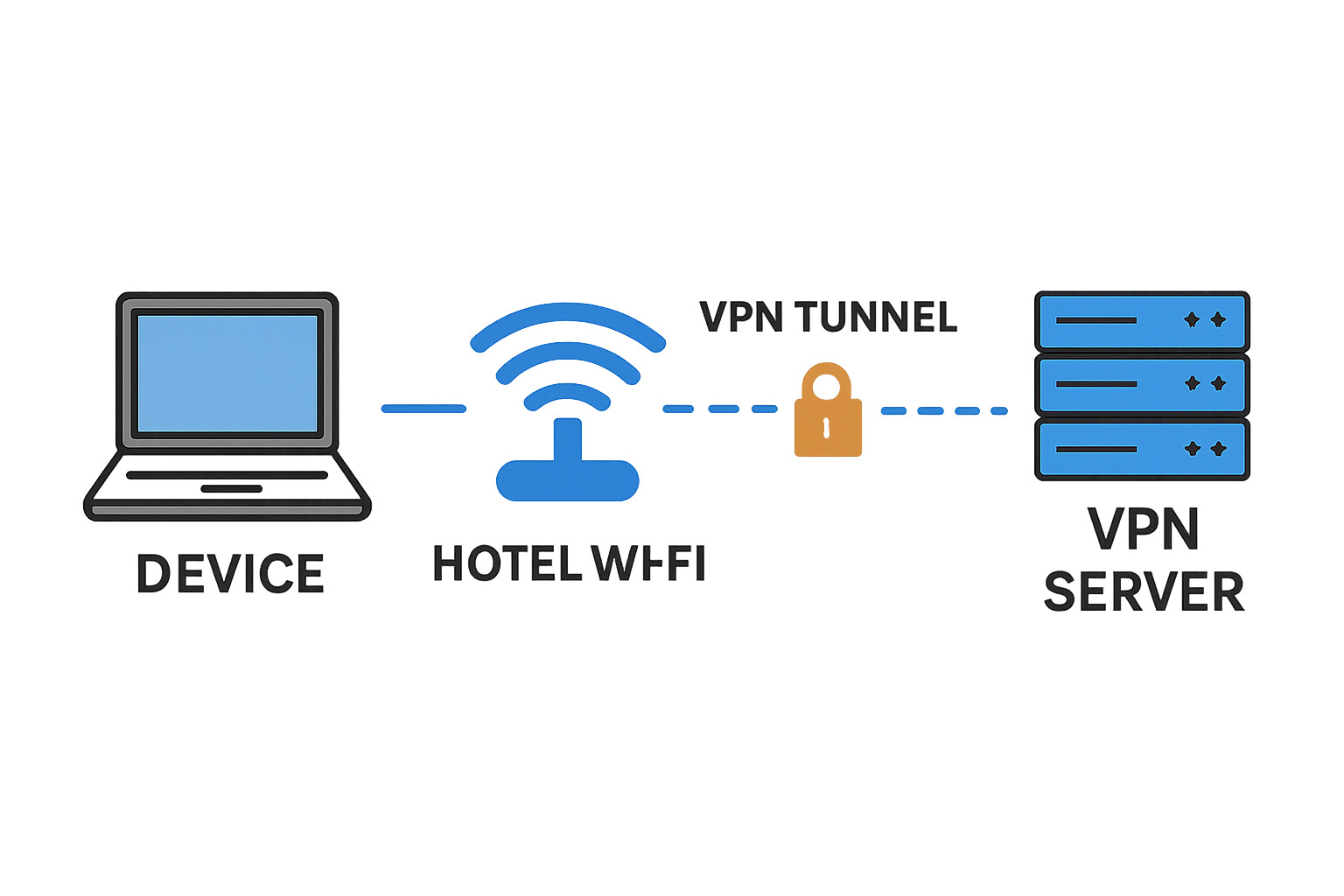
When you open your laptop in the lobby, a VPN acts like a private tunnel inside the hotel’s chaotic network. Everything leaving your device is wrapped in AES-256 encryption – the same standard used by governments – so anyone snooping only sees garbled text. The VPN server also swaps your real IP for its own, which hides your location and stops the hotel (or attackers) from seeing which sites you visit.
Modern services add DNS-over-HTTPS, automatic kill-switches, and strict no-log policies, so your requests stay private from the very first click. For a deeper dive, see our article on staying safe on public Wi-Fi.
What a VPN Can and Cannot Hide
What it hides
- Websites you open and the content you read
- Your real IP address and physical location
- Passwords, messages, and payment details
What it cannot completely hide
- Connection times and the overall amount of data moved
- Your device’s MAC address on the local Wi-Fi network
- The simple fact that you are using a VPN (though not what for)
The trade-off is usually a small speed drop (often 10–20 %), but most travelers never notice it.
vpn for hotel wifi: Common Attacks Thwarted
- Man-in-the-middle interceptions – encryption turns stolen packets into useless noise.
- Evil-twin hotspots – even if you join a fake “HotelFreeWiFi,” the attacker sees only ciphertext.
- Rogue DHCP or DNS redirects – the VPN creates its own secure route and ignores the rogue settings.
- Malware or code injection – tampering is blocked because the data’s integrity is verified end-to-end.
- Cookie hijacking – session cookies travel encrypted, so they can’t be stolen in transit.
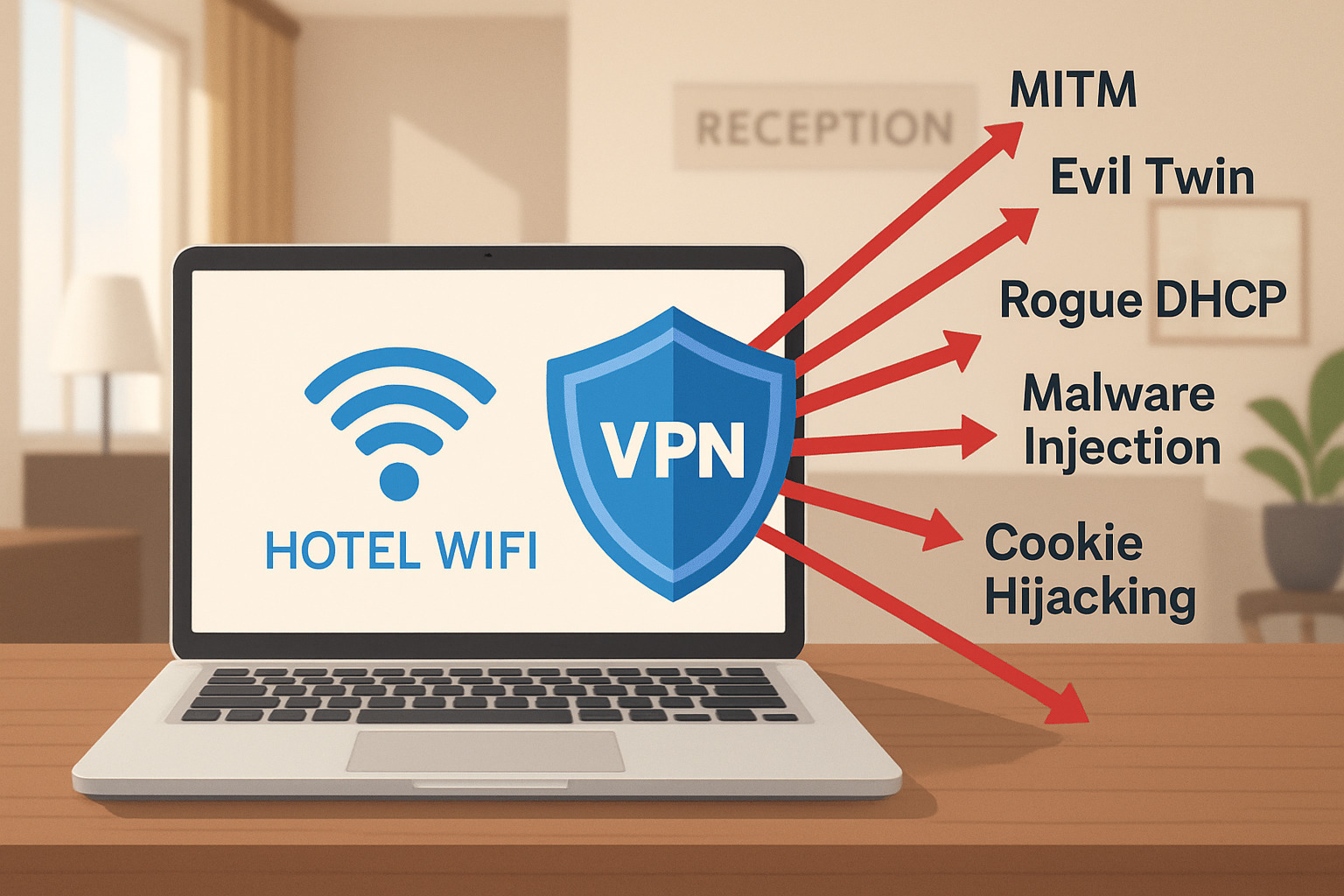
The bottom line: a properly configured VPN removes almost all of the low-hanging fruit cyber-criminals rely on in hotels.
Setting Up and Troubleshooting Your VPN in a Hotel
Getting your VPN for hotel wifi working smoothly can feel like solving a puzzle, but once you understand how hotel networks operate, the process becomes straightforward. The key is knowing the right sequence of steps and having backup plans when things don’t go as expected.
The Captive Portal Challenge
Almost every hotel greets you with a captive portal – that annoying login page that pops up when you first connect. Don’t try to activate your VPN before dealing with this step, or you’ll end up frustrated and disconnected.
Here’s the right way to handle it: First, connect to the hotel’s Wi-Fi network normally. Open any web browser and complete whatever login process the hotel requires – entering your room number, agreeing to terms, or sometimes just clicking “Connect.” Only after you can browse regular websites should you launch your VPN app and connect to a server.
Choosing the Right Protocol
Not all VPN protocols work equally well in hotels. Think of protocols as different languages your VPN uses to communicate with its servers. Some hotels are pickier about which “languages” they allow through their network.
OpenVPN is your reliable workhorse – it’s been around forever and works in almost every hotel situation. WireGuard offers excellent speed and modern security, making it perfect when the hotel has good internet infrastructure. IKEv2 reconnects quickly when you move between areas of the hotel, while SSTP is your secret weapon for hotels that actively try to block VPNs.
For most travelers, starting with OpenVPN gives you the best chance of success. You can always switch to WireGuard later if you need better streaming performance.
Location Matters for Server Selection
Picking the right VPN server can make or break your hotel internet experience. Choosing a server close to your physical location usually means faster speeds and more reliable connections. If you’re in Miami, connecting to a server in Atlanta will likely perform better than one in Los Angeles.
However, don’t feel locked into nearby servers. If you need to access content from back home or want extra privacy by appearing to be in a different country, that’s perfectly fine – just expect slightly slower speeds.
Split Tunneling: The Best of Both Worlds
Here’s a feature that can save your sanity: split tunneling lets you be selective about what goes through your VPN. You might want your banking and email protected by the VPN while letting Netflix use the direct hotel connection for better streaming quality.
This approach is especially helpful when hotel bandwidth is limited. You get security where you need it most without unnecessarily slowing down everything else.
For more detailed comparisons of VPN features and how they perform in different situations, our VPN comparison guide covers everything you need to know.
vpn for hotel wifi: Step-by-Step Setup on Any Device
Setting up your VPN for hotel wifi protection doesn’t have to be complicated, regardless of what device you’re using. The secret is doing the preparation work before you travel, when you’re still on your trusted home network.
Getting Your Laptop Protected
Download and install your VPN app while you’re still at home – hotel Wi-Fi isn’t the place to be downloading software from the internet. Create your account, test the connection, and make sure everything works smoothly.
When you arrive at the hotel, connect to their Wi-Fi network first and jump through whatever login hoops they require. Once you can browse normal websites, fire up your VPN app, pick a server, and connect. A quick visit to whatismyipaddress.com will confirm that your protection is working.
Smartphone and Tablet Setup
Your phone setup follows the same basic pattern, but mobile devices offer some extra convenience features. Most VPN apps can automatically connect whenever you join an untrusted network, which means you won’t forget to turn on protection when you’re tired from traveling.
Install the app from your device’s official app store before you travel. Configure the auto-connect feature while you’re on trusted Wi-Fi at home. At the hotel, you’ll see the VPN icon appear in your status bar once protection kicks in.
Many VPN services let you protect multiple devices with one account, so your phone, tablet, and laptop can all stay secure without needing separate subscriptions.
The Travel Router Solution
If you’re a frequent traveler or traveling with family, consider investing in a travel router with built-in VPN capabilities. These small devices create your own secure Wi-Fi network in your hotel room. Everything that connects to your travel router automatically gets VPN protection without needing individual apps.
Essential Security Steps
No matter which device you’re setting up, always enable two-factor authentication on your VPN account – this prevents hackers from taking over your VPN service even if they somehow get your password.
Turn off Wi-Fi auto-connect on all your devices. You don’t want your phone automatically joining random networks that might be malicious. Make the connection decision consciously each time.
What to Do if the Hotel Blocks Your VPN
Some hotels actively work against VPN usage, either to enforce their terms of service or to push guests toward expensive “premium” internet packages. Don’t panic – there are several ways around these restrictions.
Understanding Hotel Blocking Methods
Hotels that block VPNs usually target the standard ports that VPN traffic uses. They might also use deep packet inspection to identify VPN traffic patterns, even when it’s encrypted. Some maintain blacklists of known VPN server addresses.
The good news is that most hotels implement these blocks halfheartedly. They want to discourage casual VPN use without completely breaking internet access for business travelers who legitimately need secure connections.
Your Workaround Arsenal
Stealth mode is your first line of defense. Many VPN providers offer obfuscation features that make VPN traffic look like regular web browsing. Look for settings called “Stealth,” “Camouflage,” or “Obfuscated servers” in your VPN app.
Port 443 switching often works because this is the port that secure websites use. Hotels can’t block it without breaking online banking, shopping, and most business applications.
SSTP protocol deserves special mention because Microsoft designed it to be virtually indistinguishable from regular HTTPS traffic. If your VPN provider offers SSTP, try it when other protocols fail.
The Nuclear Option: Mobile Hotspot
When all technical solutions fail, your smartphone’s cellular connection becomes your escape route. Use your phone as a Wi-Fi hotspot to completely bypass the hotel’s network and restrictions. Yes, this uses your mobile data, but it’s often the most reliable way to get secure internet access when hotels are being difficult.
The key is having multiple backup plans. Hotels can block one method, but they rarely block all of them.
Beyond VPN: Extra Layers of Protection
A VPN for hotel wifi gives you solid protection, but smart travelers know that combining multiple security measures creates an even stronger shield against cyber threats. Think of it like wearing both a seatbelt and having airbags in your car – each layer adds extra safety.
Your journey to bulletproof hotel security starts with enabling your device’s built-in firewall. This often-overlooked feature acts like a bouncer at a club, blocking unauthorized connections from reaching your device. Most people forget their firewall exists, but it’s one of your best friends on sketchy hotel networks.
Keeping your software updated might sound boring, but outdated apps are like leaving your front door open. Before you pack your bags, make sure your operating system, web browsers, VPN app, and security software all have the latest patches. Hackers love targeting travelers with old software because they know you’re distracted and vulnerable.
Here’s where things get really important: enable two-factor authentication on every account you might touch while traveling. Even if someone manages to steal your password through some clever attack, they’ll hit a brick wall when they try to log in without your phone or authentication app.
DNS-over-HTTPS protection adds another sneaky layer of privacy that most people don’t know about. Configure your browser to use DoH, and even the hotel’s network operators won’t be able to see which websites you’re trying to visit. It’s like having a secret conversation in a crowded room.
For those moments when you need maximum privacy – maybe you’re a journalist or handling sensitive business – consider using Tor browser alongside your VPN. This creates multiple layers of encryption and routing that make your traffic nearly impossible to trace. It’s slower, but sometimes privacy trumps speed.
Don’t forget about your mobile hotspot as a backup plan. When the hotel Wi-Fi feels sketchy or your VPN won’t cooperate, switching to your phone’s cellular data can save the day. It uses your data allowance, but it’s better than risking your banking information.
Device isolation is your final line of defense. Turn off file sharing, disable Bluetooth when you’re not using it, and avoid those tempting USB charging stations in the lobby – they’re notorious for malware infections. Bring your own power adapter instead.
The FTC provides additional guidance on protecting yourself on public networks, and their advice echoes what we’ve learned: multiple security layers work better than relying on any single solution.
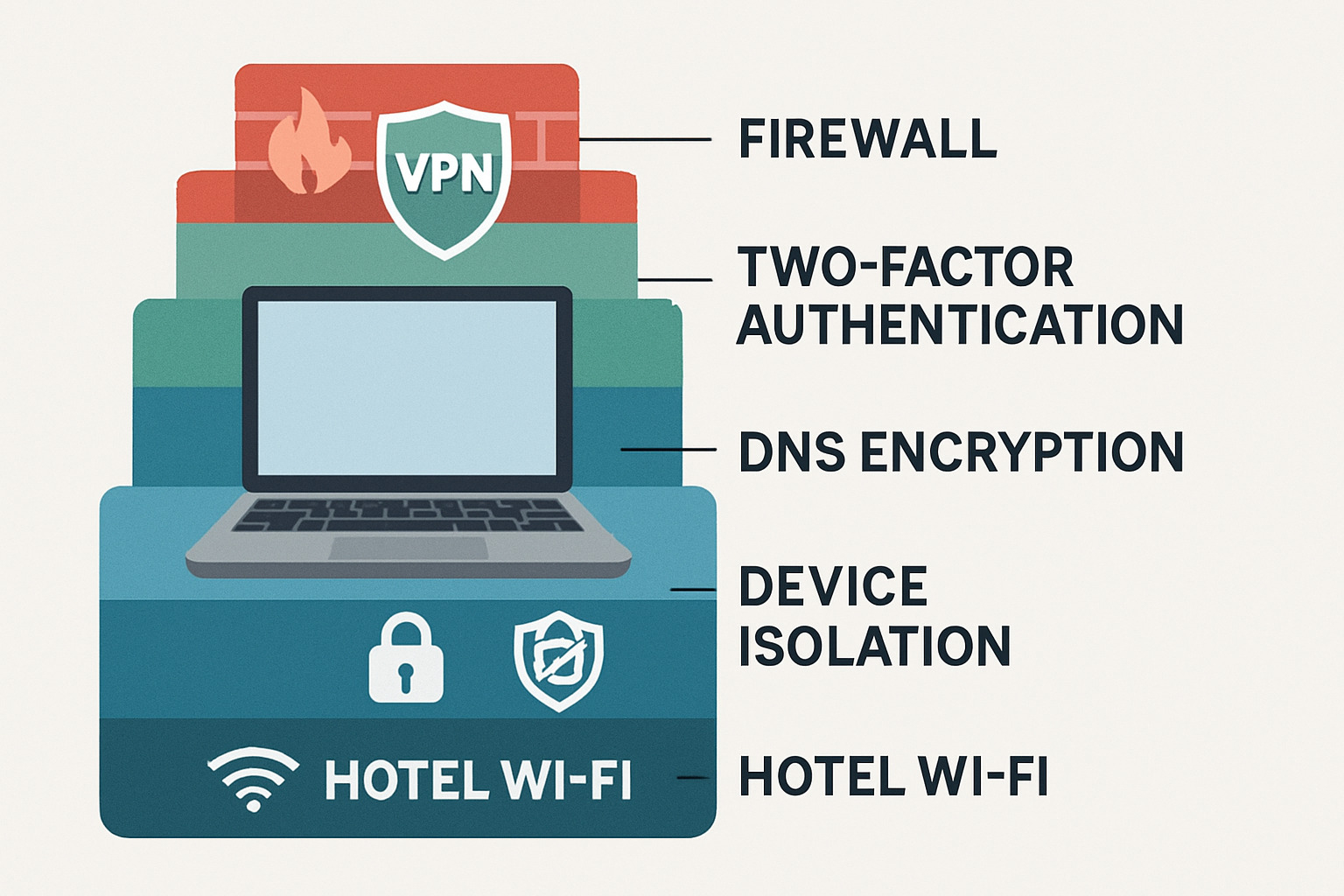
The beauty of this layered approach is that if one security measure fails, the others keep you protected. It might seem like overkill, but when you’re sitting in a hotel lobby surrounded by strangers on the same network, you’ll sleep better knowing you’ve covered all your bases.
Frequently Asked Questions About Hotel Wi-Fi Security
Is it safe to do online banking on hotel Wi-Fi with a VPN?
Banking on hotel Wi-Fi with a VPN for hotel wifi is significantly safer than without one, but there are still some important considerations to keep in mind.
Your VPN creates an encrypted tunnel that prevents anyone on the hotel network from seeing your banking credentials or account details. This encryption works alongside your bank’s existing security measures, which are already pretty robust.
Banking already comes with strong protection built-in. Banks use HTTPS encryption for all their websites, require multi-factor authentication for most transactions, and actively monitor for suspicious activity. They also automatically log you out after periods of inactivity, which helps if you forget to close your session.
The combination of your VPN and these banking security features creates multiple layers of protection. Even if someone managed to intercept your connection, they’d encounter several barriers before reaching your actual banking data.
Here’s how to bank safely on hotel Wi-Fi: Always connect your VPN first, then steer to your bank’s website. Double-check that you’re on the official banking site by looking at the URL carefully – scammers often create fake sites with similar addresses. Never save your banking passwords in the hotel room’s browser, and make sure to log out completely when you’re finished.
Sometimes it’s better to skip hotel Wi-Fi entirely for banking. If your VPN won’t connect properly, the hotel network seems suspicious, or you’re getting strange pop-ups, switch to your phone’s cellular data instead. It’s worth using a bit of your data plan for the extra peace of mind.
Can hotels detect or block VPN usage?
Hotels can definitely detect when you’re using a VPN, and some will actively try to block your connection. It’s frustrating, but there are ways around it.
Hotels use something called deep packet inspection (DPI) to analyze the patterns in your internet traffic. Even though your VPN encrypts your data, the way that encrypted traffic moves has telltale signs that DPI can spot. It’s like recognizing someone’s walking style from a distance – you might not see their face, but you know it’s them.
Why would hotels want to block VPNs? Sometimes it’s about bandwidth management – they’re trying to keep their network from getting overloaded. Other times, they’re complying with licensing agreements for their TV services or trying to push guests toward premium internet packages.
The good news is that many VPN providers have figured out ways around these blocks. Look for features called “stealth mode,” “obfuscation,” or “camouflage” in your VPN app. These make your VPN traffic look like regular web browsing, which usually gets past hotel blocking systems.
If your VPN still won’t work, try switching to different servers or protocols. SSTP protocol often works well in hotels because it uses the same port as secure websites. As a last resort, you can always fall back to your phone’s hotspot feature to bypass the hotel network entirely.
What information can hotels still see even if I use a VPN?
Even with a VPN for hotel wifi protecting you, hotels can still see some information about your connection. Understanding what they can and can’t see helps you make better privacy decisions.
Hotels can see the “envelope” but not the “letter inside.” They know when you connect and disconnect, how much data you’re using, and that you’re using a VPN service. They can also see your device’s MAC address, which is like a unique fingerprint for your phone or laptop on their network.
What they can’t see is the good stuff – the actual websites you visit, what you’re doing on those sites, or any of your personal information like passwords or messages. Your VPN keeps all of that encrypted and hidden.
Think of it like sending mail through a hotel’s mailroom. The hotel staff can see that you sent a package, when you sent it, and how big it was. But they can’t open it to see what’s inside – that’s what your VPN encryption prevents.
Hotels sometimes collect additional information through their registration process. They might ask for your email address or room number when you first connect to their Wi-Fi. Some hotels also track device MAC addresses to see if the same devices connect during future stays.
You can minimize what hotels collect about you by using a separate email address just for hotel Wi-Fi registration and enabling MAC address randomization on your devices if they support it. Most modern smartphones and laptops have this privacy feature built-in – it makes your device appear to have a different MAC address each time you connect to a new network.
Conclusion
Hotel Wi-Fi networks are digital minefields waiting to explode your privacy and security. Yet here we are, with 78% of travelers happily connecting to these risky networks while only 34% bother protecting themselves with VPNs. That’s like walking through a thunderstorm holding a metal umbrella – not the smartest move.
The good news? You now know better. A VPN for hotel wifi transforms those dangerous public networks into secure pathways for your digital life. It encrypts your traffic, masks your browsing habits, and stops cybercriminals from turning your vacation into their payday.
Think of your VPN as your digital bodyguard – it’s there to protect your sensitive data, block sneaky attacks, and keep your online activities private from prying eyes. Whether you’re checking emails, video calling family, or (carefully) doing some online banking, your VPN has your back.
But remember, even the best bodyguard works better with backup. Layer your security with firewalls, regular software updates, and two-factor authentication everywhere possible. Keep your mobile hotspot ready as a backup plan, because sometimes hotel networks are just too sketchy to trust – even with a VPN.
The reality is that hotel Wi-Fi security doesn’t have to keep you up at night (unless it’s the paper-thin walls doing that). With the right VPN service and the knowledge you’ve gained from this guide, you can browse confidently from any hotel lobby, poolside, or cramped airplane seat.
At The Techie Genius, we believe technology should make your life easier, not scarier. Hotel Wi-Fi might be risky, but you’re now equipped to handle whatever digital curveballs come your way.
Ready to travel with confidence? Don’t let another trip go by with your data hanging in the digital wind. Choose a quality VPN service, follow our setup tips, and transform those sketchy hotel networks into your personal secure highway.
For travelers who want maximum protection, our privacy-focused VPN guide covers services that put your security first – no compromises, no logging, just pure protection.
Safe travels, and may your Wi-Fi always be secure!